Job management for tree firms and trades.
Quotes, jobs, crews, safety and invoicing — in one app that keeps working when the signal doesn't.
Groundie is still being built. It is being opened up to a few tree firms at a time.
Quote it, book it, invoice it
Work moves left to right, and the same document carries through, so nothing gets typed twice.
Quote
Write it in the evening. Print it or send it.
Job
Pencilled in, contacted, booked. Crew and gear attached.
Invoice
Turn the quote into one. The tax rate is locked in on the day.
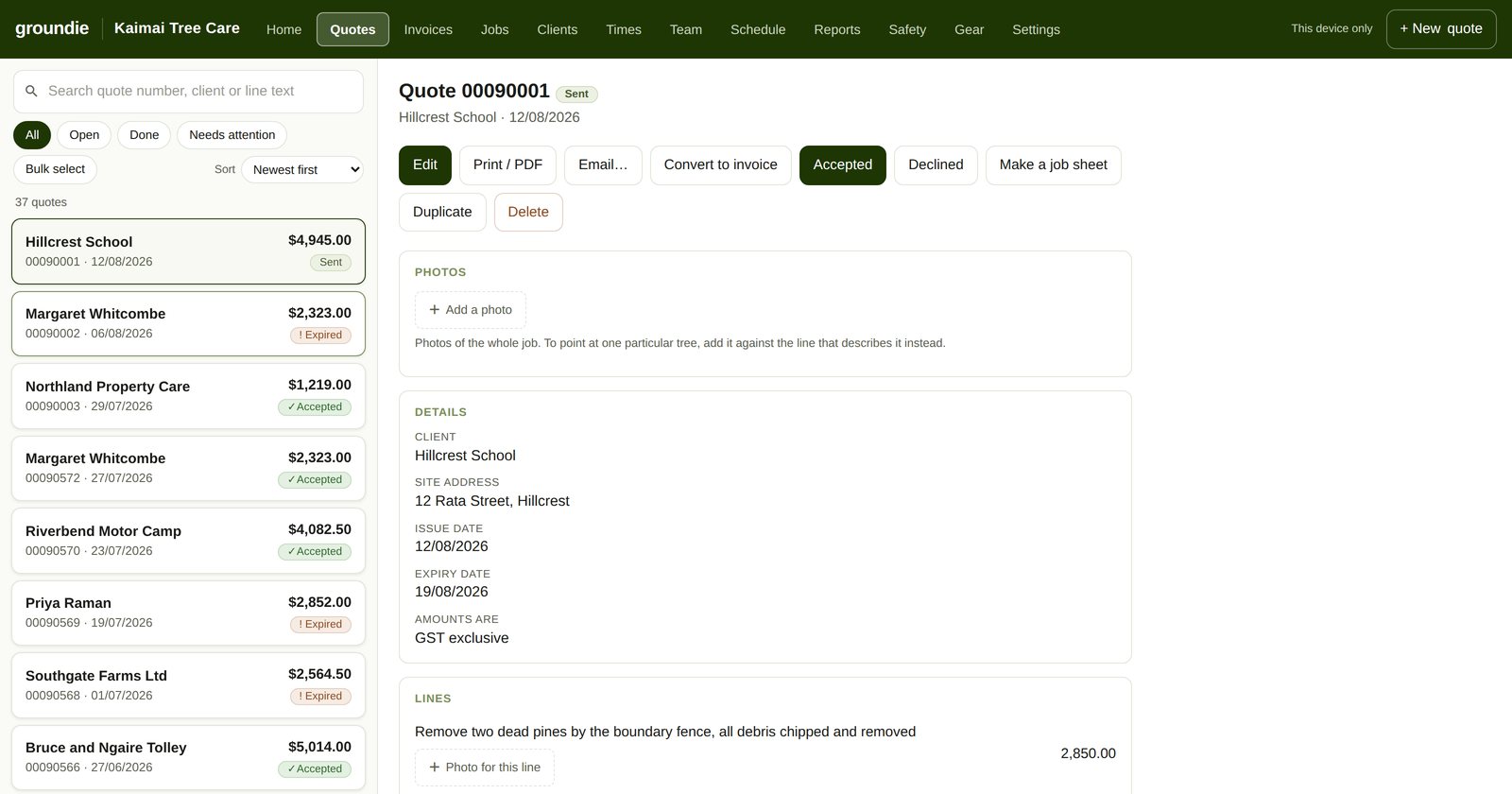
Quotes and invoices
Tax handled for New Zealand, Australia and the UK. Reprint a two-year-old invoice and it still shows what was actually charged.
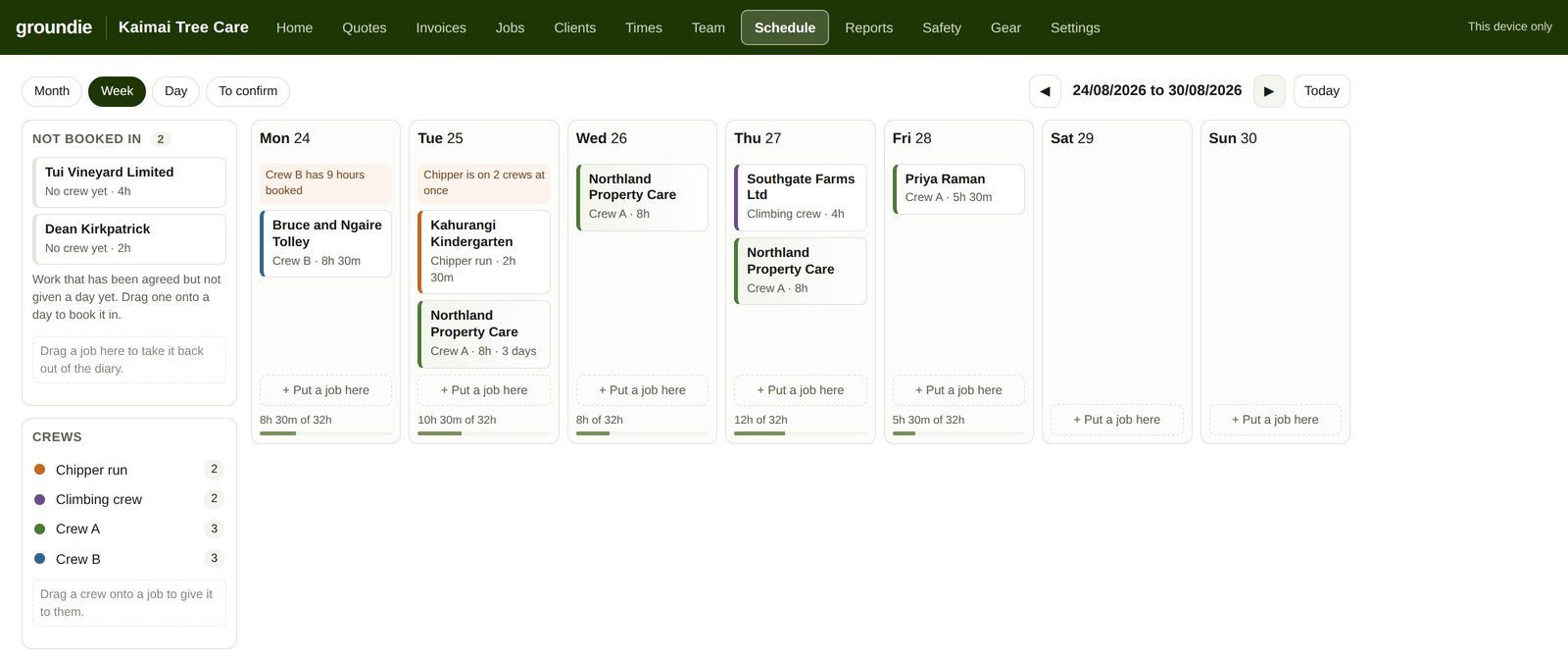
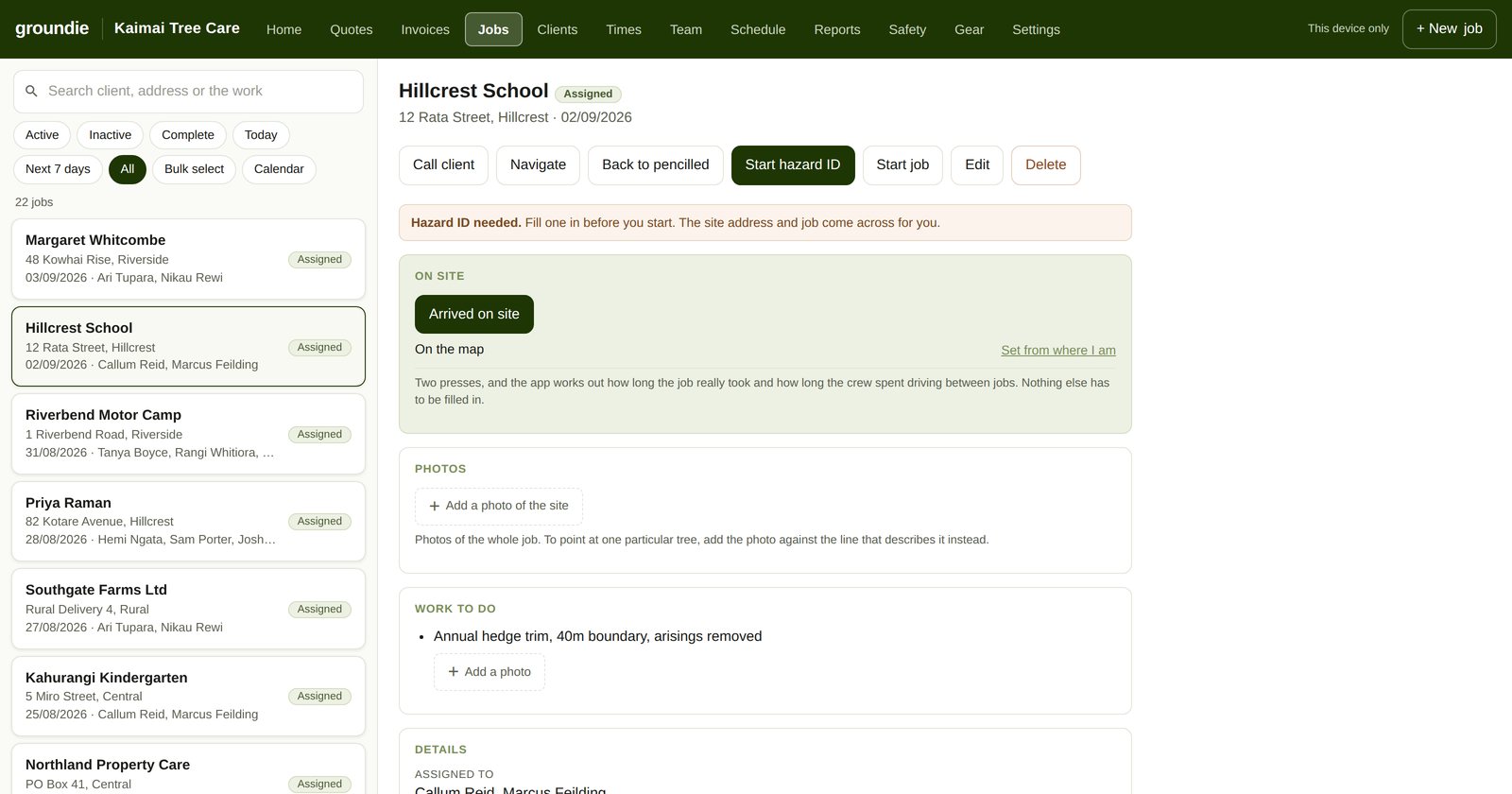
Jobs and the board
Pencil work in, ring round, book it. A job stays off the crew's screens until it is booked, and you can see who is short-handed while there is still time to do something about it.
Crews
Who goes out together, in what, with what gear.
Safety
Hazard register, SWMS, toolbox talks, personal prestarts and incidents. A toolbox talk can be signed by everyone on site, including people with no account.
Photos
Photos on quotes, jobs and invoices. Against the whole job, or against the one line that describes the tree.
Timesheets, gear and reports
Hours against the day, gear against the crew, and reports when you want to know where the week went.
Three things nobody else does
Most job software is an invoicing system with jobs bolted on. This one starts with the work.
Prices stay off the job sheet
Your crew sign in on their own phones, and what they get has nothing on it about what the customer is paying or what anyone earns. The money is not hidden from them — it never reaches their phone in the first place. Nothing to scroll across to, and nothing to find.
A new crew member, working in two minutes
A short code, printed once and handed over. They open the app, press I have a code, and type it in. No email address, no invitation to chase, nothing to set up. Made for casuals and contractors.
Works with no signal, properly
Everything saves to the phone the moment you press save. Signal or not, it is already saved, and it goes up on its own later. A hazard ID filled in at the bottom of a gully with twenty photos is safe before you climb back out.
Have a look at it
Real screenshots, not mockups. The firm is made up — a Tauranga tree outfit with fourteen clients, a fortnight of work done and a fortnight booked in.
Site mode, for the groundie at the gate
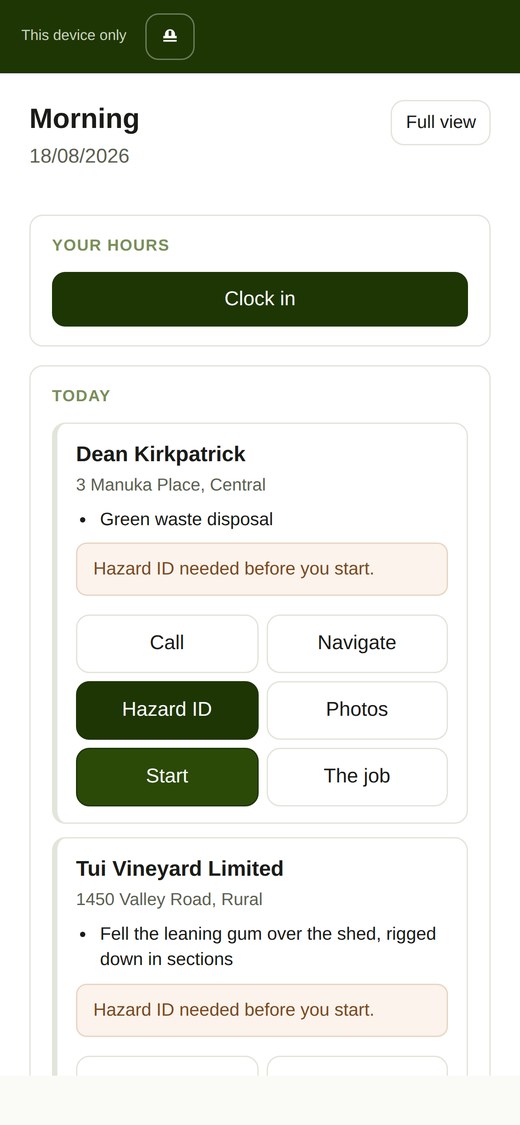
The app has a lot in it. Somebody standing at a gate at half seven needs about six things, and the full app puts them on six different screens — every one a tap and a decision, in the rain, with gloves on.
So there is a mode that folds the whole thing into one page: what has to be done before you start, today's jobs, and the clock. One screen, and nothing to hunt through. One press at the top of the screen brings you in and out of it.
There is nothing extra to fill in, and nothing works differently in there. It is the same day's work, reached in fewer taps.
The real app, on the same made-up firm as the screenshots above. No sign-up and nothing to fill in first — change whatever you like, it stays on your own screen and goes nowhere.
Open the demoPricing
Three plans, and not one of them charges you per head. Being billed for putting another pair of hands on a job is a strange way to charge for software.
Solo
Running it on your own.
NZ$20
per month, incl GST
- Quotes, invoices and clients
- Jobs, job sheets and photos
- Hazard IDs and safety records
- Backed up off your phone, and there on any device you sign in on
Crew
One crew, everyone on the app.
NZ$40
per month, per firm, incl GST
- Everything in Solo
- As many people on the crew as you like
- Sign-in codes, so nobody needs an email address
- Timesheets, leave and toolbox talks
Multi Crew
Several crews, and the week to run them.
NZ$80
per month, per firm, incl GST
- Everything in Crew
- Up to five crews, each with its own gear and truck
- Still no limit on people, on any of them
- The week board — drag work onto a day and a crew
- Warnings when gear is double-booked or a day is over
What you see is what you pay. There is no per-user line, no
charge for a casual, and nothing extra for the safety side of it.
Five crews is the ceiling, and a crew you have finished with can be made inactive
rather than deleted — inactive ones do not count, and nothing of theirs is
lost. Beyond five is a bigger conversation than a web page. Get in touch.
Straight answers
The questions worth asking of anything that wants your business's records — answered before you have to ask.
Why can't I get in yet?
Groundie is being field-tested by working tree crews before it takes anybody's money. If you want in when the doors open, write to support@groundie.co.nz.
Can I get my work back out?
Yes — all of it, whenever you like, as spreadsheet files any program can open, and invoices and contacts in a shape Xero takes.
What if Groundie disappears?
Your phone holds a full copy of your work, and the export reads from that copy. It does not need us to be here.
Is my data the product?
No. The subscription is the whole business. Your client list and your prices are not sold, shared or passed on to anyone.
Who is behind it?
Groundie Ltd, a New Zealand company. The app is built by a working arborist.
What will it cost?
NZ$20, NZ$40 or NZ$80 a month depending on how many crews you run, GST included. Nothing per head, on any of them.